
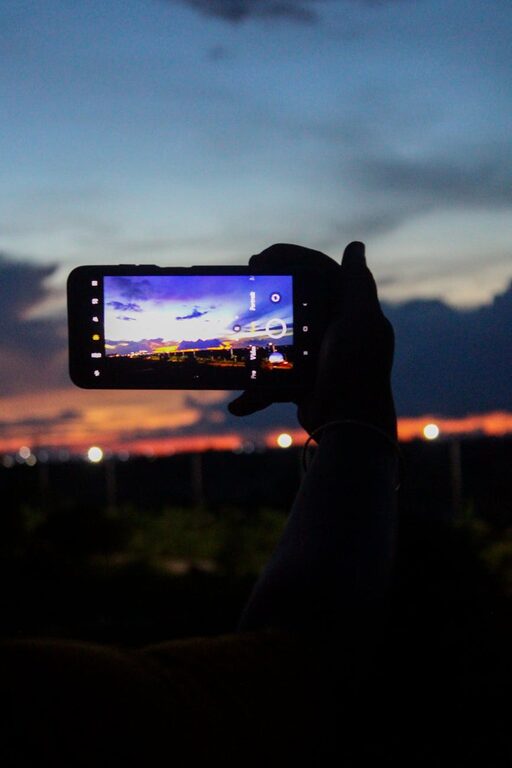
Beginner Tips for Taking Better Phone Photos Every Time
Taking great photos with your phone doesn’t have to be complicated. Whether you’re capturing a sunset, a special moment with friends, or everyday scenes, your smartphone can deliver impressive results with just a few adjustments. In this post, we’ll cover beginner-friendly tips that will help you take better photos with your phone and build your confidence behind the camera.
Understand Your Phone’s Camera Features
Before diving into shooting, take some time to explore your phone’s camera app. Most modern smartphones come packed with helpful features:
– Gridlines: Turn on the grid in your camera settings to help with composition using the “rule of thirds.”
– HDR mode: This setting captures details in both bright and dark areas, balancing your photos in challenging light.
– Focus and Exposure: Tap on your subject on the screen to focus and adjust exposure (brightness).
– Different Lenses: Some phones have multiple lenses—wide, ultra-wide, telephoto. Experiment to see what each does.
Becoming familiar with these features will give you more control over your photos.
Compose Your Photo Thoughtfully
Good composition goes a long way in improving your phone photos. Here are some basics:
Use the Rule of Thirds
Imagine your photo divided into nine equal parts by two horizontal and two vertical lines. Try to place important elements along these lines or at their intersections to create balanced and interesting compositions.
Fill the Frame
Get closer to your subject or zoom in (using optical zoom if available) to eliminate distracting backgrounds and focus attention on the main point.
Keep Horizon Straight
A crooked horizon line can be distracting. Use your phone’s grid or a built-in leveling tool to make sure your shots are straight.
Look for Leading Lines
Use natural lines such as roads, fences, or pathways to draw the viewer’s eye toward your subject.
Focus on Lighting
Lighting can dramatically affect your photos. Even a powerful smartphone camera can struggle in poor or harsh light.
Shoot in Natural Light When Possible
Outdoor photos in morning or late afternoon light (known as the golden hour) often turn out beautifully soft and warm. Avoid harsh midday sun which causes strong shadows and blown highlights.
Avoid Using Your Phone’s Flash
The built-in flash often produces harsh, unnatural light that flattens your photo. Instead, try moving closer to your subject or finding better natural light.
Use Shadows and Highlights Creatively
Don’t always avoid shadows; sometimes they add depth and interest. Play around to find appealing contrasts in light.
Keep Your Phone Steady
Blurry photos often result from camera shake. Here’s how to prevent that:
– Hold your phone with both hands and keep your elbows close to your body.
– Lean against a stable surface like a wall or table for extra support.
– Consider using a small tripod or phone stand, especially in low light.
– Use the timer or voice commands to avoid shaking when tapping the shutter.
Edit Your Photos Lightly
Editing can enhance your photos and bring out details you might not notice at first.
Use Built-in Editing Tools
Most phones have editing apps that let you crop, adjust brightness, contrast, saturation, and sharpen images.
Avoid Over-Editing
A subtle touch is best. Too much filtering or saturation can make photos look unrealistic.
Try Free Editing Apps
Apps like Snapseed, VSCO, or Lightroom Mobile offer more advanced editing options while remaining beginner-friendly.
Practice Regularly
The best way to improve your phone photography is by practicing often. Challenge yourself to take photos daily or try different subjects: landscapes, portraits, food, pets, and architecture.
Review and Learn
Look back at your photos to see what worked and what didn’t. Keep experimenting with settings and compositions to find your style.
—
By keeping these beginner-friendly tips in mind, you’ll start taking sharper, more engaging photos with your phone. Remember, photography is about seeing the world creatively—your smartphone is just the tool to capture it! Happy shooting!
